3D touch is a feature that is only available if you are using an iPhone 6S or 7.
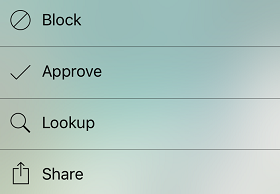
To launch 3D touch, press and hold your finger firmly on the PrivacyStar icon  .
.
The widget will perform a lookup of the number that was last copied to your clipboard.
From there, you have the option to Block, Lookup, or Approve the number. You can also Share the app.
0 Comments